Table of Contents
1. Understanding FAST Channel Technology
Free ad-supported streaming television, commonly known as FAST, gives viewers access to scheduled streaming channels without requiring a traditional paid subscription. Instead, advertising supports the service, subject to its business model and commercial agreements.
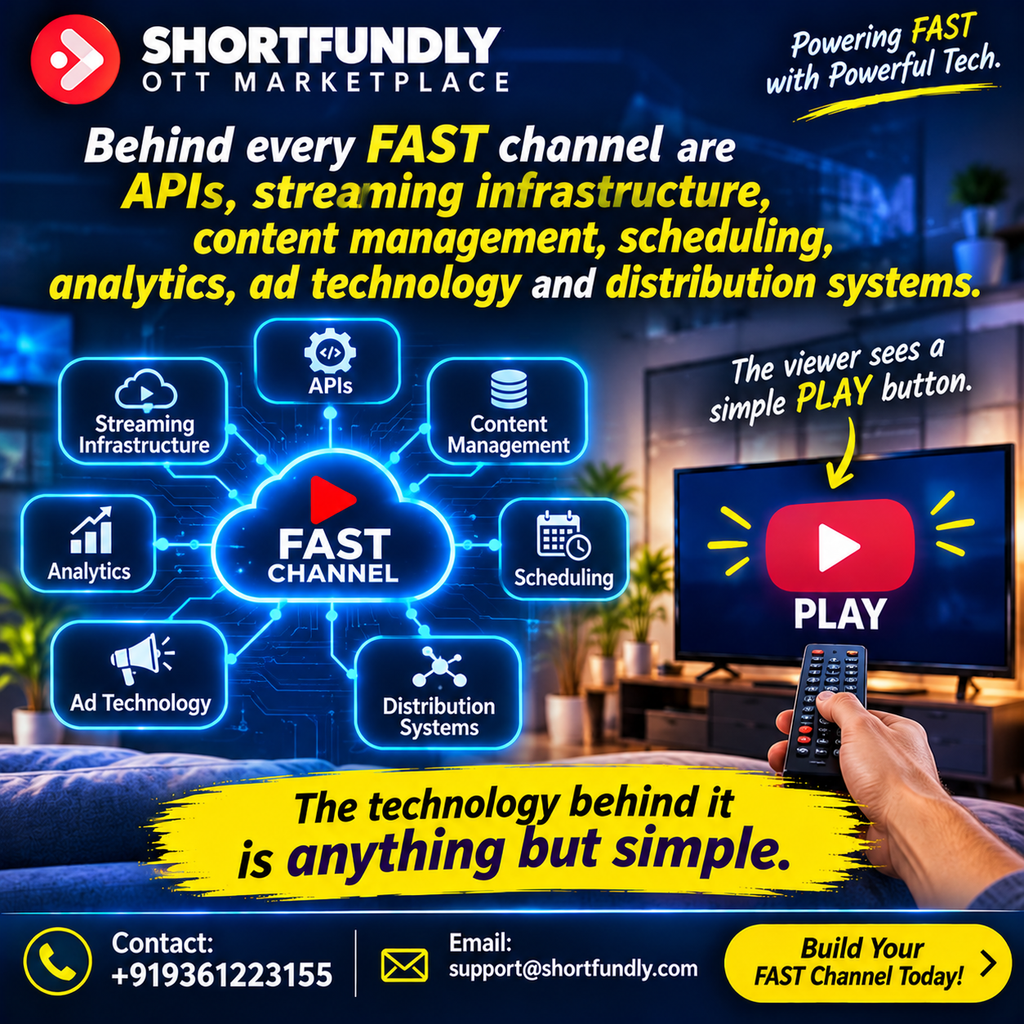
A FAST channel may look simple to the viewer. They open an app, select a channel, and press PLAY. Behind that action, however, several technology systems work together to deliver the video, maintain the schedule, manage advertisements, and measure performance.
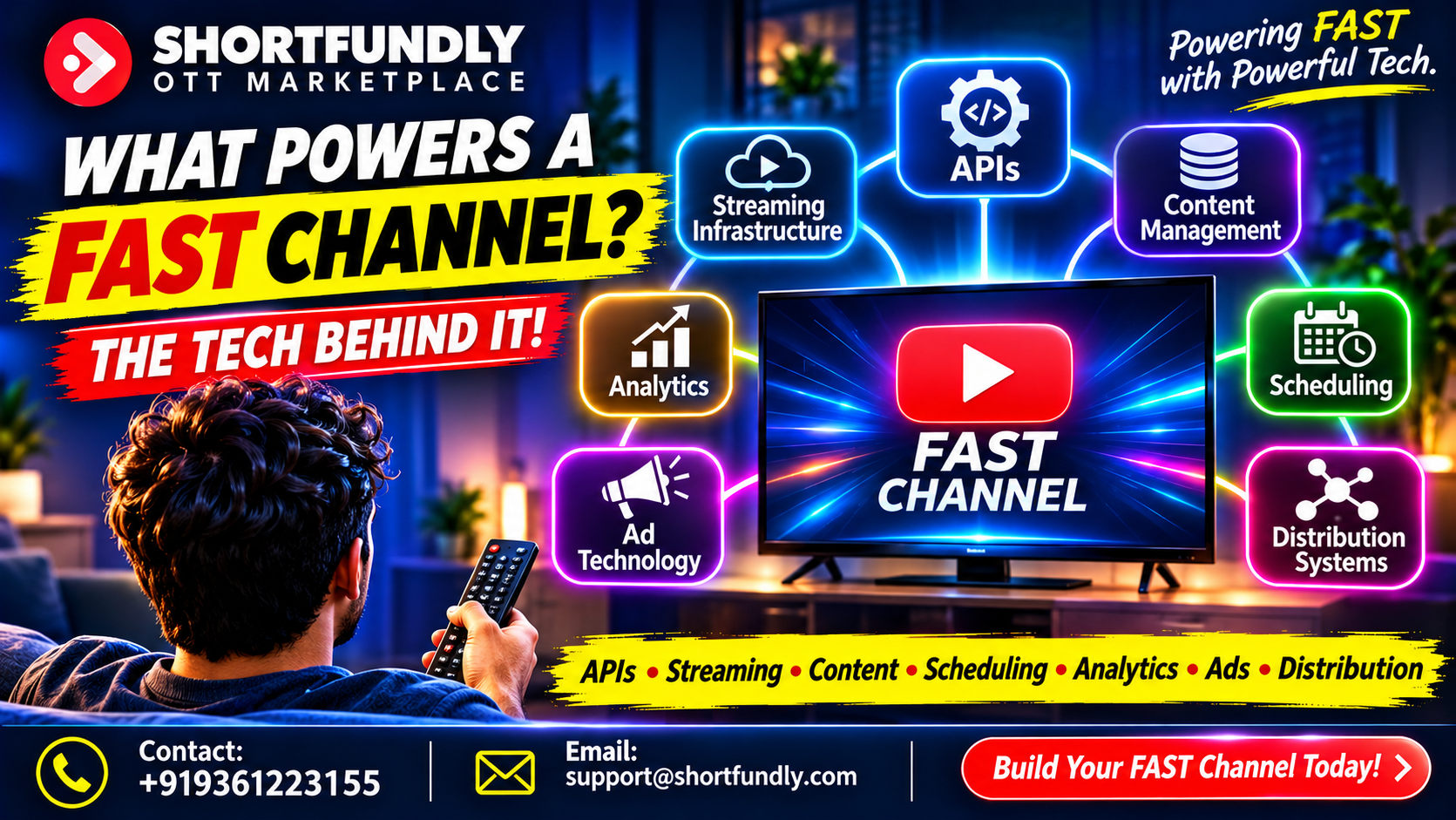
FAST channel technology refers to the connected tools and infrastructure that make this experience possible. It includes media processing, content management, scheduling, playout automation, streaming delivery, APIs, advertising systems, analytics, and distribution integrations.
These systems must work together. A well-organised content library is not enough if the playout system cannot access the files. A perfect schedule is not useful if the streaming infrastructure cannot deliver the channel reliably. Likewise, a channel may attract viewers but struggle to generate advertising revenue if its ad technology isn’t properly integrated.
1.1 What Makes a FAST Channel Different from On-Demand Streaming?
On-demand streaming allows viewers to select a specific film or episode and play it when they want. A FAST channel generally follows a scheduled programming format. Viewers tune in to a channel and watch whatever is currently playing.
| Feature | On-Demand Streaming | FAST Channel |
|---|---|---|
| Viewing method | Viewer selects a title | Viewer joins a scheduled channel |
| Programming | Individual content selection | Continuous programmed schedule |
| Advertising | May be ad-supported or ad-free | Commonly advertising-supported |
| Scheduling | Usually not central to playback | Essential to channel operations |
| EPG | Often not required | Important for channel discovery |
| Playout | Starts selected content | Maintains continuous channel output |
FAST channels combine elements of traditional television with internet-based streaming. They require programming schedules, channel management, and continuous delivery, but they use digital infrastructure to reach connected devices.
1.2 The Main Technology Layers
A typical FAST channel ecosystem includes several connected layers:
- Content layer: Films, episodes, trailers, and other video assets.
- Management layer: Metadata, artwork, rights information, and media libraries.
- Programming layer: Playlists, schedules, and electronic programme guides.
- Playout layer: Automated playback and channel output.
- Delivery layer: Encoding, packaging, and content delivery networks.
- Monetisation layer: Ad decisioning and advertisement insertion.
- Measurement layer: Viewing, playback, and advertising analytics.
- Integration layer: APIs and connections between services.
Each layer has a specific purpose. Together, they support the continuous viewing experience audiences expect.
2. Streaming Infrastructure: The Foundation of Every FAST Channel
Streaming infrastructure is the technical foundation that moves video from a media library to a viewer’s screen. It includes computing resources, storage, video processing, packaging, network delivery, and monitoring.
A channel can have excellent content and a carefully planned schedule, but viewers won’t stay if playback frequently buffers or fails.
2.1 Cloud Hosting and Scalable Infrastructure
Many streaming services use cloud infrastructure to support media processing, storage, and delivery workflows.
Cloud-based systems can help operators adjust resources as workloads change. For example, a service may need more processing capacity when preparing a large batch of videos or launching additional channels.
Infrastructure planning should consider:
- Storage requirements for video masters and delivery files.
- Processing capacity for encoding and transcoding.
- Channel output requirements.
- Network bandwidth.
- Backup and recovery.
- Monitoring and operational support.
- Regional delivery needs.
Cloud hosting isn’t automatically the best choice for every operation. Some services use a combination of cloud, on-premises, and managed infrastructure. The right setup depends on scale, cost, technical requirements, and operational needs.
2.2 Video Encoding and Transcoding
Video files come in different formats, resolutions, bitrates, and frame rates. A streaming service may need to convert source files into formats suitable for different devices and network conditions.
Encoding compresses video and audio into a delivery format. Transcoding converts media from one encoded format or profile into another.
For example, a high-quality source master may be converted into several delivery renditions. A viewer with a strong internet connection may receive a higher-resolution stream, while a viewer on a slower connection may receive a lower-bitrate version.
This process supports adaptive bitrate streaming.
2.3 Adaptive Bitrate Streaming
Adaptive bitrate streaming allows compatible players to switch between video quality levels as network conditions change.
A typical workflow involves:
- Creating multiple video renditions.
- Dividing the media into small segments.
- Preparing a manifest or playlist.
- Delivering the segments through a CDN.
- Allowing the player to select suitable quality levels.
This helps reduce interruptions when a viewer’s connection changes.
2.4 Storage and Media Asset Management
FAST services need reliable storage for source masters, encoded files, trailers, artwork, subtitles, and other assets.
Storage planning should account for file size, retention policies, access speed, backups, and content rights.
A well-designed storage system makes it easier for content management and playout tools to locate the correct media files.
3. APIs and Platform Integration: Connecting the Technology Ecosystem
APIs, or application programming interfaces, allow separate software systems to exchange information and request services.
In a FAST environment, APIs can connect content management systems, scheduling tools, playout services, advertising platforms, analytics products, and distribution partners.
Without suitable integration, teams may need to move information manually between systems. This can increase delays and create errors.
3.1 How APIs Support FAST Operations
An API can allow one system to request information or trigger an action in another system.
For example:
- A scheduling tool sends a playlist to a playout service.
- A content system provides a media asset identifier.
- A playout platform sends playback events to analytics.
- An ad system returns an advertisement decision.
- A distribution integration exchanges channel or content information.
The exact functions depend on each provider’s API capabilities.
3.2 Common API Integration Areas
| Integration | Purpose |
|---|---|
| Content API | Retrieves titles, metadata, and asset details |
| Scheduling API | Exchanges playlists and programme schedules |
| Playout API | Sends playback instructions or channel status |
| Advertising API | Supports ad requests and responses |
| Analytics API | Transfers viewing and playback events |
| Distribution API | Exchanges approved content or channel information |
3.3 API Reliability and Error Handling
A successful integration must do more than exchange data once. It should handle failures, timeouts, incorrect responses, and unexpected changes.
Useful API design practices include:
- Authentication and access control.
- Clear request and response formats.
- Error codes and useful error messages.
- Retry policies for temporary failures.
- Request logging.
- Version management.
- Rate-limit handling.
- Monitoring and alerts.
API integrations should also protect sensitive information. Credentials must be stored securely, and access should be limited to authorised systems.
3.4 Why Integration Matters as a Channel Grows
A single-channel operation may begin with a small number of tools. As the business expands, it may add more channels, languages, territories, content providers, and advertising partners.
At that stage, reliable integration becomes increasingly important.
A connected ecosystem can reduce manual work and make it easier to manage channel operations. However, integrations must be tested carefully, documented, and monitored over time.
4. Content Management Systems: Organising the FAST Channel Library
A content management system, or CMS, helps operators organise and manage the media used in a FAST channel.
The CMS may store or reference video assets, metadata, artwork, subtitles, rights information, and content status. It acts as a central management layer for the channel’s media library.
4.1 Managing Media Assets
A FAST content library may contain:
- Feature films.
- Television episodes.
- Short films.
- Documentaries.
- Trailers.
- Promos.
- Interstitial content.
- Advertising or promotional assets.
Each asset should have a clear identity and status. Operators need to know whether a file is approved, available, restricted, expired, or awaiting quality control.
4.2 Metadata Management
Metadata helps systems and viewers understand what each title contains.
Important fields may include:
| Field | Description |
|---|---|
| Title | Official content name |
| Synopsis | Summary of the film or episode |
| Genre | Content category |
| Runtime | Duration |
| Language | Original or available language |
| Release year | Year of production or release |
| Cast | Main performers |
| Director | Director information |
| Rating | Applicable content classification |
| Artwork | Poster or thumbnail |
| Rights window | Permitted availability period |
| Asset ID | Unique identifier for the media item |
Accurate metadata supports search, scheduling, EPG presentation, and content reporting.
4.3 Rights and Availability Management
Content rights can vary by territory, platform, language, and time period.
A CMS or related rights management tool may help operators track important restrictions. For example, a film may be available for a specific territory but not another. Its licence may also expire on a particular date.
The system should make these conditions visible to the people responsible for programming and distribution.
4.4 Quality Control and Content Approval
Before content enters a channel schedule, it should pass the required technical and editorial checks.
Quality control may review:
- Video and audio quality.
- Runtime.
- Subtitle timing.
- Metadata accuracy.
- Artwork quality.
- Content classification.
- Rights documentation.
- File integrity.
A clear approval process helps prevent incorrect or unauthorised assets from entering the playout workflow.
5. Scheduling and Programming: Building a Continuous Channel Experience
Scheduling determines what viewers see and when they see it. It’s one of the most important parts of FAST channel operations because a FAST channel is designed to provide continuous programming.
A good schedule should be technically accurate and editorially useful. It should create a viewing experience that makes sense to the target audience.
5.1 Building a Programming Grid
A programming grid organises content across the channel’s operating hours.
For example, a film-focused channel may use a schedule like this:
| Time | Programme Type | Purpose |
|---|---|---|
| 00:00–02:00 | Feature films | Overnight viewing |
| 02:00–04:00 | Documentaries | Themed programming |
| 04:00–06:00 | Short films | Compact viewing sessions |
| 06:00–09:00 | Family-friendly content | Morning audience |
| 09:00–12:00 | Classic films | Daytime programming |
| 12:00–15:00 | Feature films | Afternoon viewing |
| 15:00–18:00 | Regional cinema | Language-focused content |
| 18:00–21:00 | Featured titles | Evening programming |
| 21:00–00:00 | Popular films | Prime-time viewing |
This is an illustrative schedule. Actual programming should reflect audience research, content rights, classification, runtime, and channel positioning.
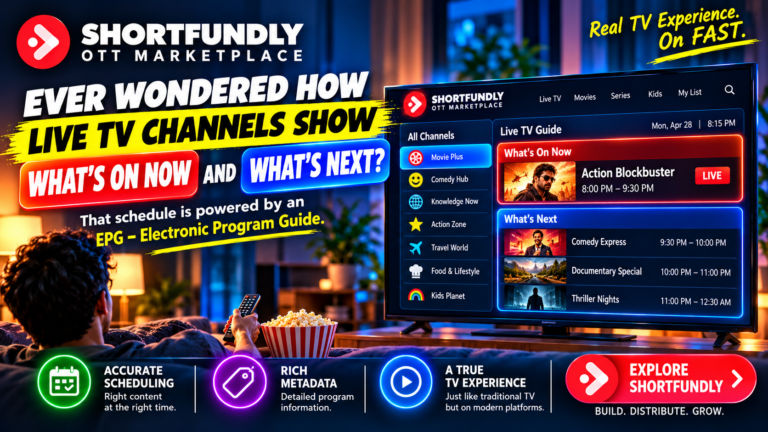
5.2 Electronic Programme Guide (EPG)
An electronic programme guide displays information about current and upcoming programmes.
An EPG may include:
- Programme title.
- Synopsis.
- Start time.
- End time.
- Genre.
- Artwork.
- Episode information.
- Content classification.
Accurate EPG information helps viewers decide whether to tune in. It also helps connected platforms display channel schedules consistently.
5.3 Schedule Accuracy and Timing
Scheduling systems must account for actual media duration, transitions, advertisement breaks, and channel timing rules.
A schedule that drifts over time can cause EPG information to become inaccurate.
Operators should use reliable timing controls and monitor the relationship between the planned schedule and actual playback.
5.4 Programming Strategy and Audience Retention
Scheduling isn’t only about filling 24 hours. It is also about creating a coherent viewing experience.
A channel may use recurring themes, genre blocks, filmmaker collections, or daily programming patterns.
The schedule should make it easy for viewers to understand the channel’s identity and discover content that interests them.
6. Playout Automation: Keeping the Channel Live Around the Clock
Playout automation manages the continuous playback of scheduled content. It takes approved media assets and plays them in the required sequence.
For a FAST channel, this system helps maintain a consistent stream without requiring an operator to start every film manually.
6.1 How Playout Automation Works
A typical playout workflow includes:
- Receiving an approved schedule.
- Retrieving the correct media assets.
- Checking file availability.
- Preparing the playback sequence.
- Starting each programme at the scheduled time.
- Managing transitions and breaks.
- Sending the channel output to the streaming workflow.
- Recording operational events.
The exact workflow varies by provider and architecture.
6.2 Playlist Management
A playlist defines the sequence of content and other elements that make up a channel’s output.
It may include:
- Main programmes.
- Trailers.
- Promos.
- Interstitials.
- Advertisement break markers.
- Channel branding elements.
The playlist should be validated before transmission to avoid missing files or incorrect sequencing.
6.3 Monitoring and Failover
Playout systems should be monitored for playback errors, missing assets, unexpected interruptions, and output failures.
A failover process may switch to backup equipment or a predefined fallback stream when a critical component fails.
A fallback slate or standby playlist can help prevent a blank screen, although the exact recovery design depends on the service.
6.4 Automation Doesn’t Remove the Need for Human Oversight
Automation reduces repetitive work, but operators still need to review schedules, investigate errors, manage rights restrictions, and maintain content quality.
The strongest workflow combines reliable automation with clear operational procedures.
7. Video Delivery, Streaming Protocols, and CDN Technology
Once a channel’s output is prepared, it must be delivered to viewers across different networks and devices.
This requires video packaging, streaming protocols, content delivery networks, and compatible playback applications.
7.1 Streaming Protocols
Common streaming technologies include HTTP Live Streaming (HLS) and Dynamic Adaptive Streaming over HTTP (DASH).
These technologies deliver segmented media and allow compatible players to adapt playback quality based on network conditions.
The chosen protocol depends on platform requirements, device support, and the delivery architecture.
7.2 Content Delivery Networks
A content delivery network, or CDN, distributes content through a network of servers closer to viewers.
This can reduce the distance between the viewer and the media delivery point, helping improve delivery performance.
A CDN may support:
- Video segment delivery.
- Manifest delivery.
- Cache management.
- Traffic distribution.
- Regional delivery.
- Network performance monitoring.
CDN configuration should be reviewed as audience size and geographic coverage change.
7.3 Latency, Buffering, and Playback Quality
Viewers expect a channel to start quickly and continue playing smoothly.
Important performance measures may include:
- Time to first frame.
- Rebuffering frequency.
- Playback failure rate.
- Average delivered bitrate.
- Stream availability.
- Latency.
These metrics help technical teams identify issues that may affect the viewing experience.
8. Advertising Technology: Supporting FAST Channel Monetisation
Advertising is a central part of many FAST business models. The advertising technology stack helps manage ad opportunities, select suitable advertisements, and deliver them during programming.
The exact arrangement varies by platform, advertising partner, and channel operator.
8.1 Ad Decisioning
An ad decisioning system determines which advertisement should fill an available ad opportunity.
The decision may consider factors such as:
- Campaign availability.
- Viewer or device information, where permitted.
- Geographic targeting.
- Ad duration.
- Frequency rules.
- Content category.
- Advertiser requirements.
Ad decisioning must follow applicable privacy, advertising, and platform policies.
8.2 Server-Side and Client-Side Ad Insertion
Two common approaches are client-side ad insertion and server-side ad insertion.
| Feature | Client-Side Ad Insertion | Server-Side Ad Insertion |
|---|---|---|
| Where ads are combined | Playback application | Streaming or server workflow |
| Ad handling | Player manages ad requests and playback | Server combines or stitches ad content into the stream |
| Implementation | Depends on player support | Requires server-side integration |
| Measurement | Often uses client-side tracking | May use server and client measurement |
| Main consideration | Device and player compatibility | Integration, tracking, and stream processing |
The appropriate method depends on the platform’s technical design and advertising requirements.
8.3 Ad Break Planning
Ad breaks need to be placed in a way that supports both monetisation and viewing quality.
A channel may define break opportunities through schedule markers or signalling information.
The system should ensure that advertisements fit the available break duration and that playback returns to the correct programme position.
8.4 Ad Measurement and Reporting
Advertising systems may report impressions, fill rates, campaign delivery, and other performance measures.
These metrics should be interpreted according to the provider’s definitions. A high fill rate, for example, does not automatically indicate strong revenue or viewer satisfaction.
9. Analytics and Reporting: Measuring FAST Channel Performance
Analytics helps channel operators understand how viewers interact with the service and whether the channel is meeting its goals.
Without reliable measurement, operators may struggle to identify technical problems, evaluate programming choices, or understand advertising performance.
9.1 Viewer and Playback Analytics
Common streaming metrics include:
- Channel starts.
- Unique viewers, where available.
- Viewing duration.
- Average session length.
- Programme completion.
- Playback errors.
- Rebuffering.
- Geographic distribution.
- Device categories.
Each platform may define and report these metrics differently.
9.2 Programming Analytics
Programming analytics can help identify which titles, genres, and time slots attract viewers.
For example, operators may compare audience activity across different programming blocks.
This information can support decisions about:
- Repeating popular programmes.
- Adjusting schedule placement.
- Creating genre-based blocks.
- Improving channel identity.
- Testing new programming themes.
We should avoid making decisions based on one metric alone. Viewing duration, audience size, completion, and repeat behaviour can provide different insights.
9.3 Advertising Analytics
Advertising reports may include impressions, fill rate, campaign delivery, and ad completion.
Operators should compare reporting periods carefully and confirm that metrics use consistent definitions.
9.4 Turning Data Into Better Decisions
Analytics is most valuable when it leads to useful action.
If a channel experiences high playback failures on a particular device type, technical teams can investigate compatibility. If a programme block attracts strong viewing, programming teams may examine whether the theme should be repeated.
The goal is to use evidence to improve both the technical service and the viewing experience.
10. Security, Rights Management, and Content Protection
FAST channels handle licensed media, business information, platform integrations, and sometimes viewer-related data. Security must therefore be part of the technology design.
10.1 Access Control
Systems should give users access only to the tools and information needed for their roles.
For example, a scheduler may need access to programming tools, while a technical administrator may need access to infrastructure settings.
Role-based access control can reduce unnecessary permissions.
10.2 Secure APIs and Credentials
API credentials should be protected and rotated according to an appropriate security policy.
Useful controls include:
- Secure authentication.
- Encrypted connections.
- Limited permissions.
- Credential rotation.
- Request monitoring.
- Audit logs.
10.3 Digital Rights Management
Digital rights management, or DRM, can help enforce content access restrictions where required by a platform or rights agreement.
DRM requirements vary by content owner, platform, device, and territory.
Filmmakers and operators should confirm the relevant protection requirements before delivery.
10.4 Rights Windows and Territory Restrictions
A film may have different availability rules across territories or time periods.
A rights management workflow should help prevent content from being scheduled outside its permitted window.
Clear documentation and regular checks are essential, particularly when a channel uses a large content library.
11. How All FAST Channel Technology Systems Work Together
The technology behind a FAST channel is best understood as one connected workflow rather than a collection of separate products.
Each stage depends on information and output from the previous stage.
11.1 A Typical FAST Channel Workflow
| Stage | System | Main Activity |
|---|---|---|
| 1 | Content ingestion | Receives video and supporting assets |
| 2 | Media processing | Encodes and prepares video |
| 3 | Content management | Organises files and metadata |
| 4 | Rights management | Confirms permitted use |
| 5 | Scheduling | Creates the programming sequence |
| 6 | EPG management | Publishes programme information |
| 7 | Playout automation | Plays content continuously |
| 8 | Ad technology | Manages advertising opportunities |
| 9 | Packaging and delivery | Prepares and distributes the stream |
| 10 | CDN | Delivers media to viewers |
| 11 | Playback application | Displays the channel on a device |
| 12 | Analytics | Measures playback and audience activity |
11.2 Example: From Film Upload to Viewer Playback
Imagine a content owner wants to add a licensed film to a FAST channel.
First, the film is delivered with its supporting documents. The content team checks the file and confirms that the necessary rights are available.
Next, the media processing system prepares the video for streaming. The CMS stores the film’s metadata and links it to the approved media asset.
The scheduling team places the film in a programming block. The EPG receives the programme information, while the playout system prepares the playback sequence.
At the scheduled time, the playout system sends the channel output into the streaming workflow. The advertising system manages available ad opportunities, and the CDN delivers the stream to supported devices.
Finally, playback and advertising events may be collected for reporting, depending on the platform’s measurement setup.
The viewer sees a simple PLAY button. The technology ecosystem handles the complex work behind it.
12. How to Choose the Right FAST Channel Technology Partner
A technology partner can influence how easily a channel is launched, managed, and expanded. However, we shouldn’t choose a provider based only on a feature list or marketing claims.
We should evaluate the complete workflow and identify which services are included.
12.1 Define Your Channel Requirements
Before comparing providers, establish:
- Number of channels.
- Content library size.
- Expected audience scale.
- Required territories.
- Languages and subtitles.
- Programming schedule complexity.
- Advertising model.
- Device and platform targets.
- Reporting requirements.
- Technical support needs.
These details help us compare solutions more accurately.
12.2 Evaluate Integration Capabilities
Ask whether the technology partner supports the required APIs and integrations.
Confirm how the system connects to:
- Content management.
- Scheduling and EPG.
- Playout automation.
- Ad decisioning.
- CDN and streaming delivery.
- Analytics.
- Distribution platforms.
Request technical documentation and clarify which integrations are standard, optional, or custom-built.
12.3 Review Reliability and Support
Ask about monitoring, incident response, backup systems, service availability, and technical support.
A FAST channel requires ongoing operations. A provider should explain how problems are detected, reported, and resolved.
12.4 Compare Costs and Commercial Terms
Technology costs may include setup, hosting, storage, encoding, channel operations, delivery, advertising integration, support, and additional services.
Request a clear breakdown. Compare the total operating cost with the channel’s expected scale and business model.
13. Explore Shortfundly Distribution for Film Distribution Opportunities
Technology is only one part of building a successful FAST channel. Content owners and filmmakers also need suitable ways to bring their films to audiences.
Those planning a distribution strategy can explore Shortfundly Distribution and review the current information about its services and opportunities.
Before proceeding, confirm the current submission process, content eligibility, platform coverage, territory availability, technical requirements, rights conditions, and commercial terms.
13.1 Questions to Ask a Distribution Provider
A content owner should understand the arrangement before submitting a film.
Consider asking:
- What types of films and content are accepted?
- Which distribution platforms or channels are currently supported?
- Which territories and languages are available?
- What video, audio, and metadata specifications apply?
- What rights documentation is required?
- Is the agreement exclusive or non-exclusive?
- What is the agreement duration?
- Are there submission or distribution fees?
- What reporting is available?
- How are commercial terms and payments handled?
A careful review helps ensure that the distribution route matches the content owner’s goals and rights position.
Frequently Asked Questions About FAST Channel Technology
1. What Is FAST Channel Technology?
FAST channel technology is the collection of systems used to create, manage, schedule, stream, monetise, and measure free ad-supported streaming television channels. It includes content management, APIs, playout automation, video delivery, advertising technology, and analytics.
2. What Technology Is Required to Launch a FAST Channel?
A typical FAST channel requires a content library, media processing, content management, scheduling, playout automation, streaming infrastructure, a CDN, a playback platform, and advertising integrations. The exact requirements depend on the channel’s business model and distribution partners.
3. What Is the Role of APIs in FAST Channels?
APIs connect different technology systems. They can exchange metadata, schedules, playback instructions, advertising requests, and analytics events. Reliable APIs reduce manual work and help systems operate as one connected workflow.
4. What Is a FAST Channel CMS?
A FAST channel content management system helps organise video assets, metadata, artwork, subtitles, and rights information. It gives teams a structured way to manage the content used in channel programming.
5. What Is Playout Automation?
Playout automation controls the continuous playback of scheduled content. It retrieves approved media, follows playlists, manages transitions, and sends the channel output into the streaming delivery workflow.
6. Why Is an EPG Important for FAST Channels?
An electronic programme guide displays current and upcoming programme information. Accurate EPG data helps viewers understand what’s playing and decide whether to watch.
7. How Do FAST Channels Make Money?
Many FAST channels use advertising as a primary revenue model. Advertising technology manages ad opportunities and delivery. Actual revenue arrangements depend on the platform, advertising partners, audience, commercial agreements, and operating costs.
8. What Is the Difference Between AVOD and FAST?
AVOD means advertising-supported video on demand, where viewers usually select individual titles from a catalogue. FAST generally provides scheduled, continuous channels supported by advertising.
9. What Does a CDN Do in a FAST Channel?
A content delivery network distributes video and related files through servers positioned across different regions. It helps deliver streaming content efficiently to viewers and supports large-scale distribution.
10. How Does Analytics Improve FAST Channel Performance?
Analytics helps operators understand viewing activity, playback quality, programme performance, and advertising delivery. These insights can support technical improvements, schedule changes, and better channel planning.
11. Can One Technology Platform Manage Multiple FAST Channels?
Some technology platforms support multiple channels, but capabilities vary. Before selecting a provider, confirm channel limits, scheduling tools, content management features, infrastructure capacity, and pricing.
12. How Does a Filmmaker Get Content Onto a FAST Channel?
A filmmaker generally needs the required distribution rights, a technically compliant video master, accurate metadata, artwork, and other delivery materials. The filmmaker must then work with a platform or distribution provider that accepts the content and agree on the relevant commercial terms.
Also read: https://blog.shortfundly.com/ott/free-ads-vs-subscribe/
Conclusion: The PLAY Button Is Only the Beginning
Behind every FAST channel is a connected technology ecosystem. APIs, cloud infrastructure, content management, scheduling, EPG systems, playout automation, streaming delivery, advertising technology, analytics, and security all contribute to the final viewing experience.
The viewer may see only a channel name and a PLAY button, but reliable streaming requires careful planning across every stage of the workflow.
For media companies and content owners, understanding these systems makes it easier to evaluate technology partners, plan channel operations, manage content libraries, and build a scalable distribution approach.
The most effective FAST channel strategy combines strong programming with dependable technology. A well-organised content library, accurate schedule, reliable stream, suitable advertising setup, and useful analytics can help create a better experience for viewers and a more manageable operation for channel owners.
To explore film distribution opportunities, visit Shortfundly Distribution and review the current services, requirements, and commercial terms.